Creating a campaign
Creating a campaign involves a quick 2 step process - choose the chain, DEX and pool that you want to run the incentives on, pick the duration and then choose the rewards.
Here’s a small video about how to create a campaign with Metrom.
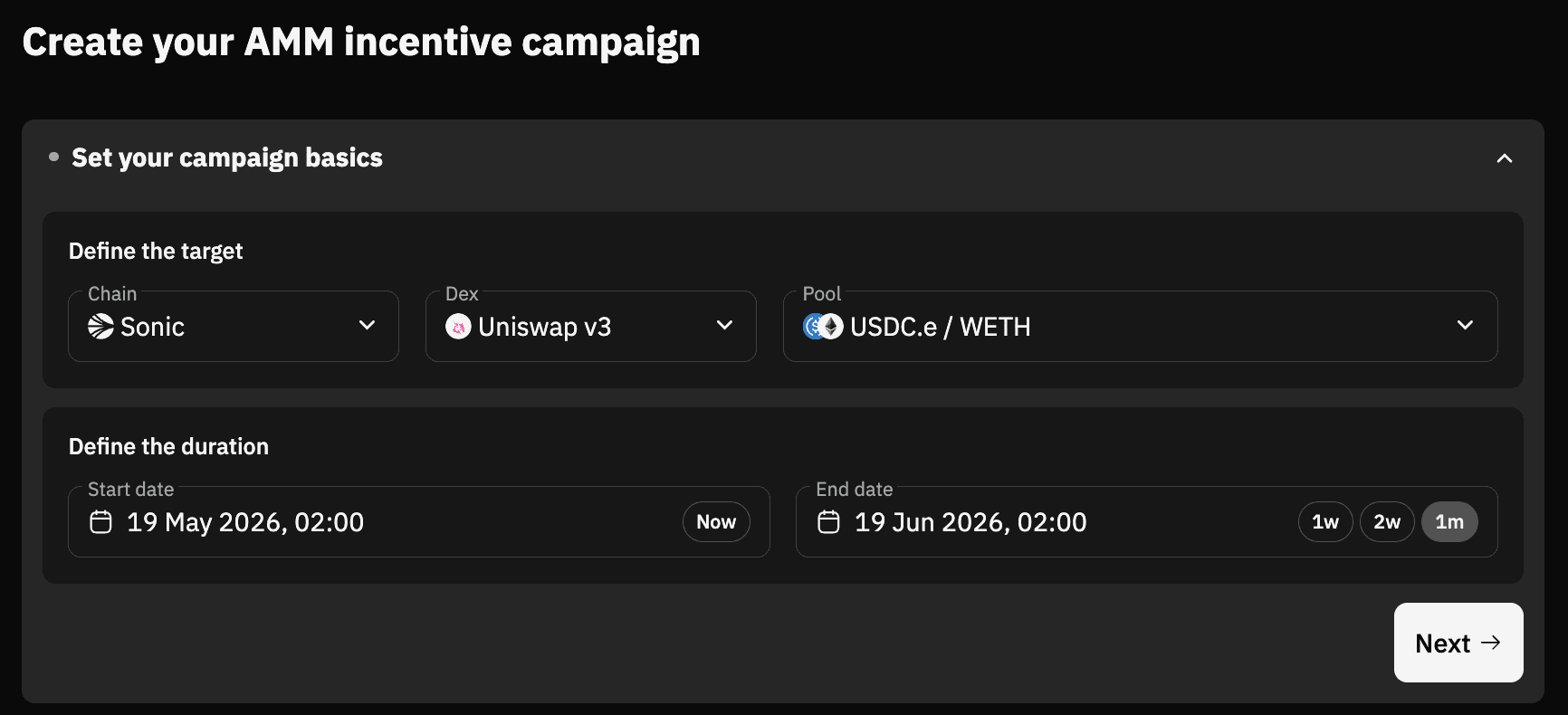
Step 1: Select chain, DEX, pool and duration of the campaign
Select the chain, DEX, pool and duration for which you want to run the incentives. The time displayed here is your local time.
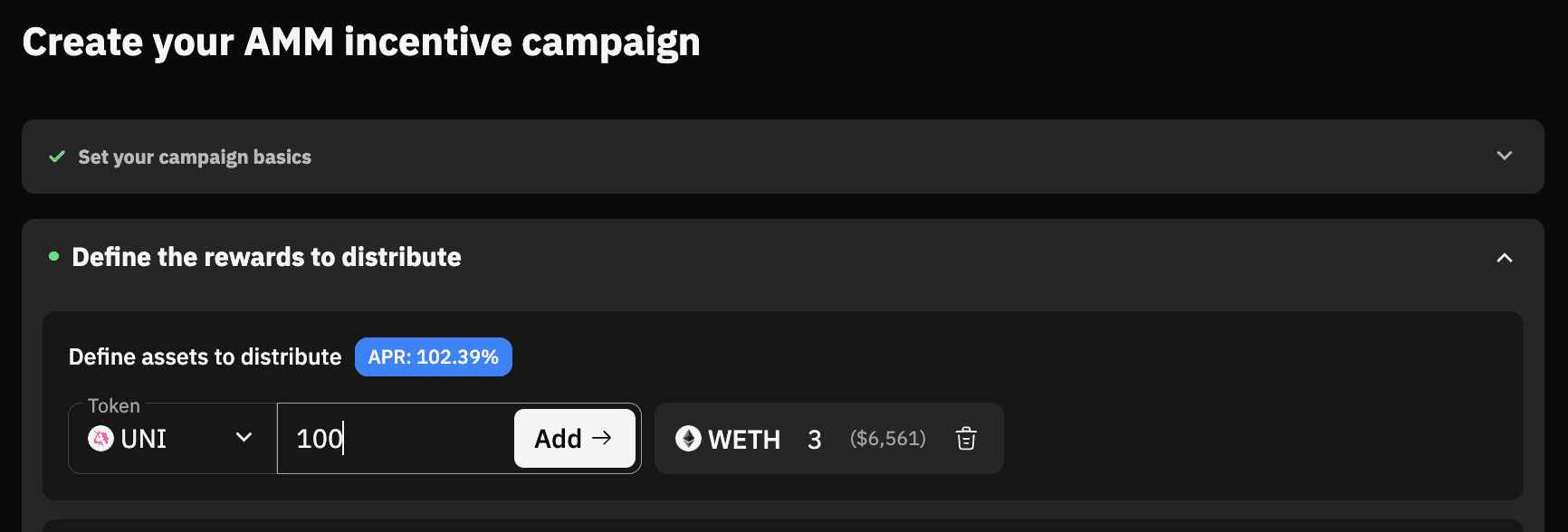
Step 2: Add reward tokens
Pick the rewards (you can add up to 5 different reward tokens) and their amount and click on Next to save the progress and then finally Launch campaign.
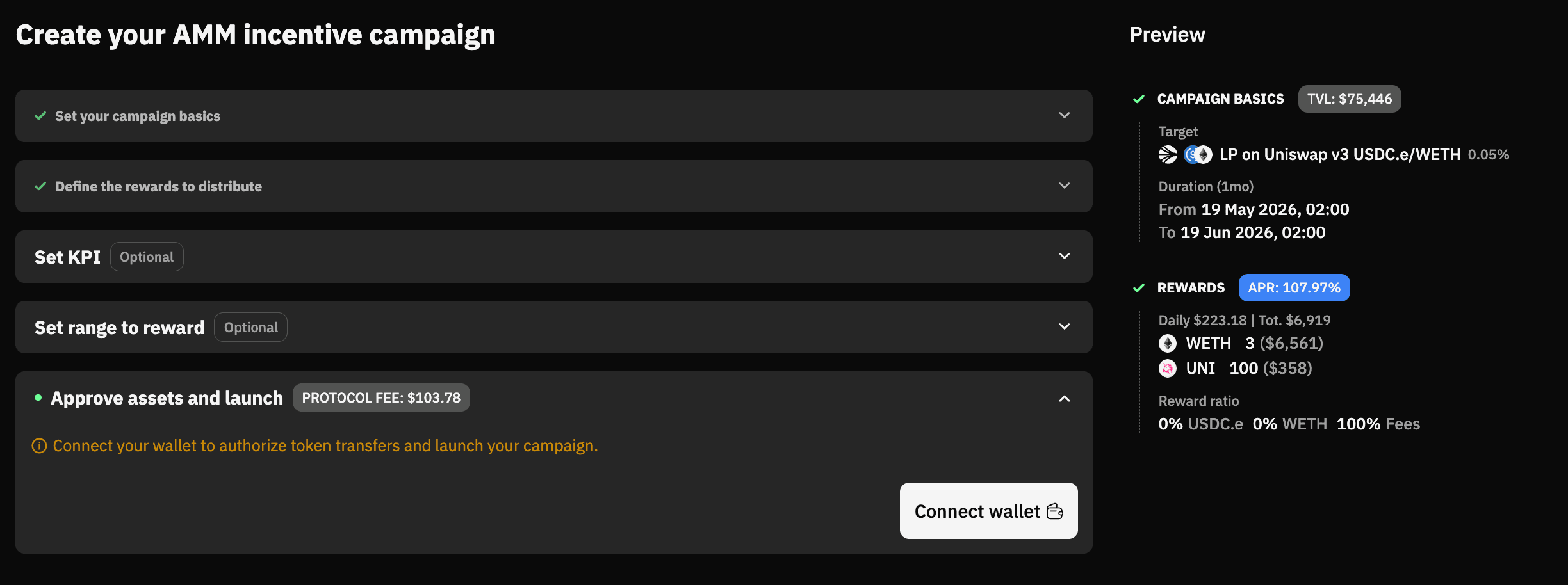
Campaign preview
Take a quick look at the campaign preview on the right side, and then connect wallet to approve reward tokens and launch campaign.
Last updated on